
One budget. Every shekel accounted for.
Set your annual budget once and see, in real time, what's used, what's left and your average monthly spend — broken down by category and by gift reason, with every transaction logged.
Before MATANA
 With MATANA: one live budget, every spend tracked automatically.
How it works
Set it once, watch it live
- 1
Set your annual budget
Enter the yearly amount once. MATANA tracks it from there.
- 2
Spend is tracked as you go
Every gift, event and perk is logged by category and reason automatically.
- 3
Plan the rest of the year
See used, remaining and average per employee, and spot overspend early.
Inside the dashboard
What your team works with
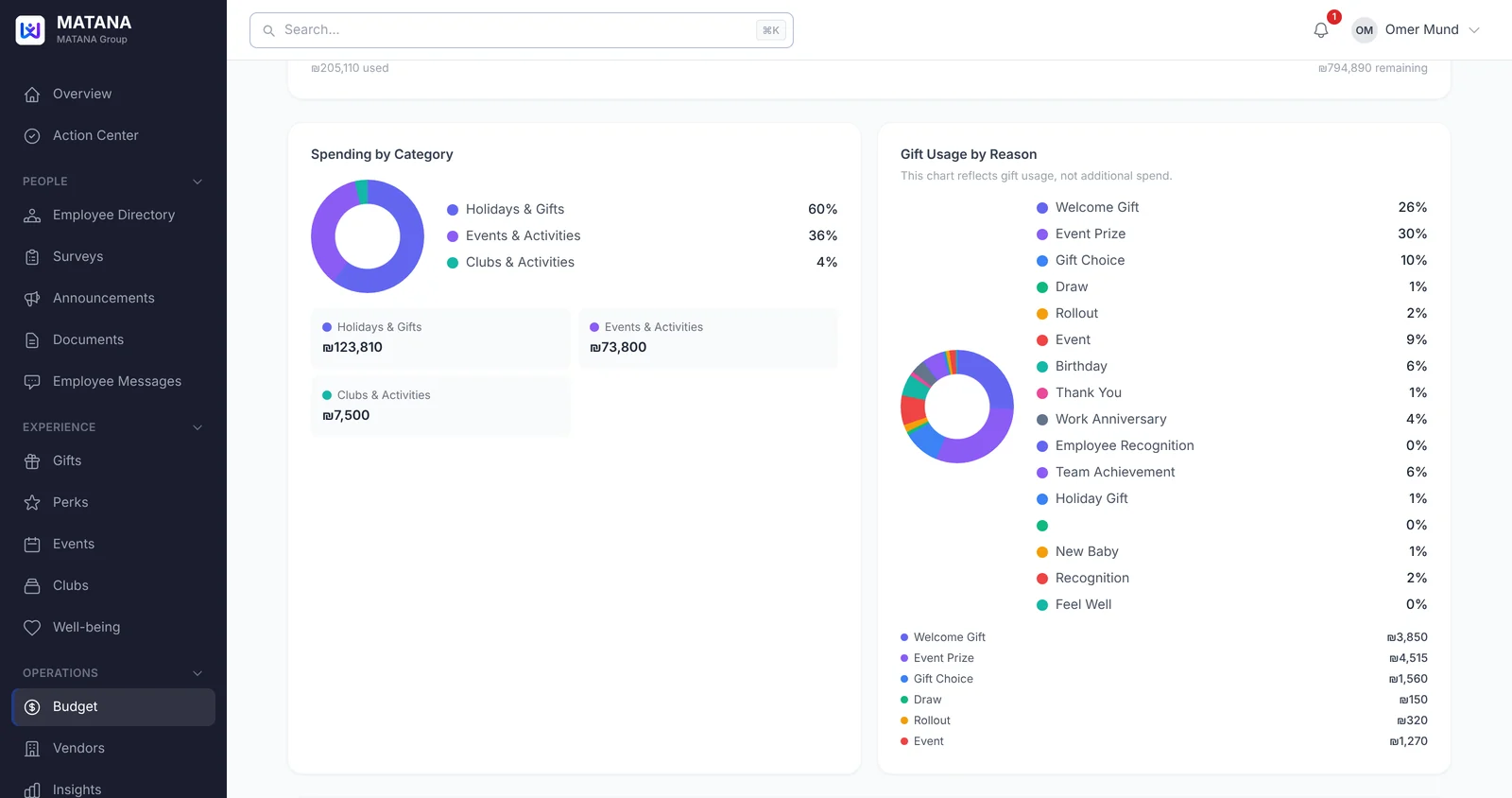
Where the money goes
Spending by category — holidays & gifts, events, clubs — next to gift usage by reason: welcome gifts, birthdays, work anniversaries, event prizes and more.
- Spend by category, in amounts and percentages
- Gift usage by reason
- Annual budget, used, remaining and average monthly spend
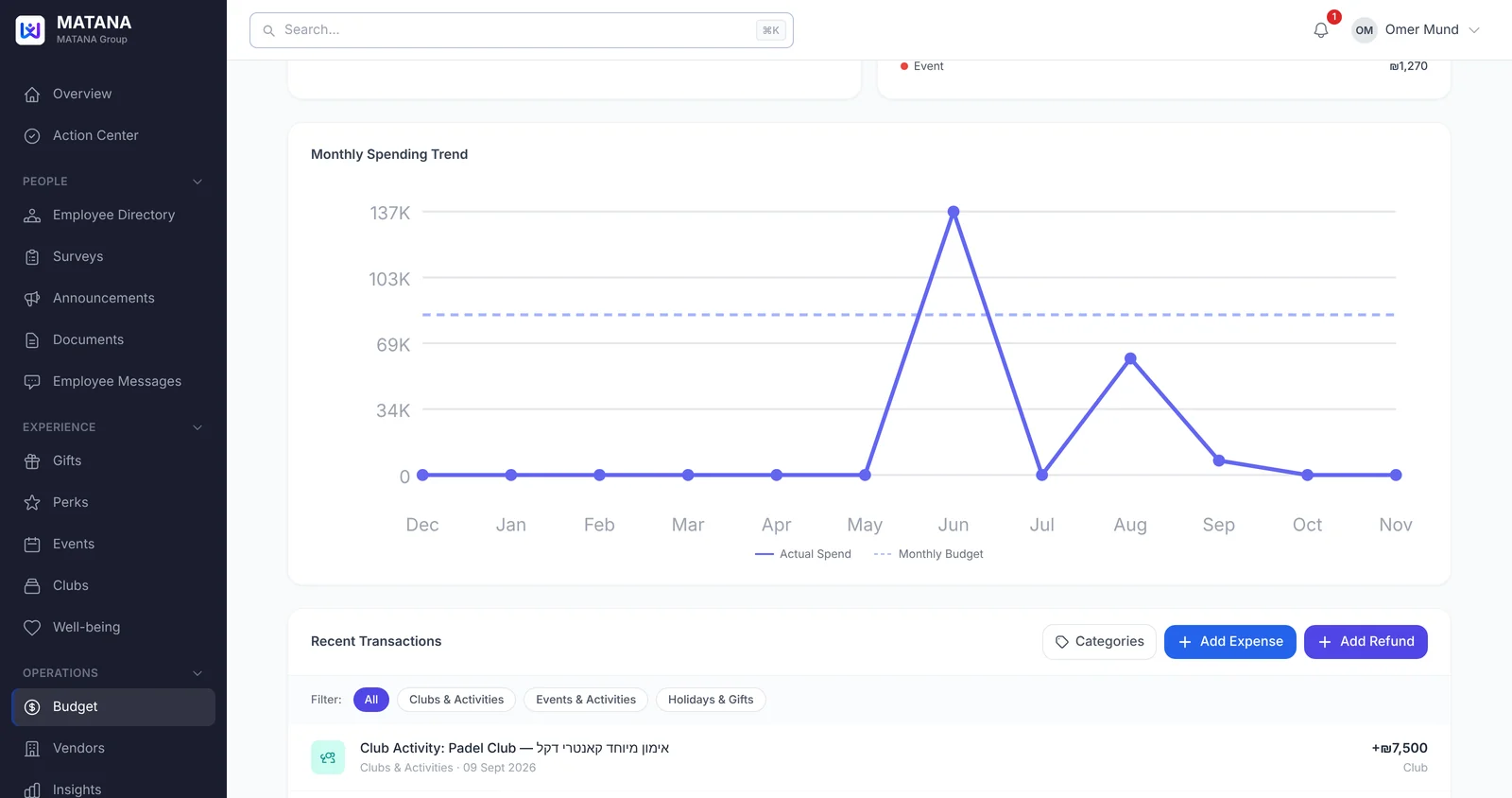
Every transaction, month by month
A monthly spending trend against your monthly budget, and a running list of transactions — confirmed events, gift inventory purchases and club activities are logged as they happen.
- Monthly spend vs. monthly budget
- Recent transactions, filtered by category
- Add an expense or a refund in seconds
FAQ
Common questions
Can we log spend that happened outside MATANA?
Yes. Add an expense or a refund manually, and it's counted with everything else.
What does the budget track?
Everything sent through MATANA, including gifts, events, holidays and well-being, broken down by category and reason.
Can we see spend per employee?
Yes. The Budget Organizer shows the average spend per employee next to used and remaining.
Do we need to reconcile anything by hand?
No. Spend is recorded as it happens, so the numbers are always up to date.
See MATANA with your own team
Start with a short pilot — no long-term commitment, up and running in days.