
Surveys that close the loop
Ask how an event went or which benefits matter most, follow response rates, and turn what you hear into better events, gifts and perks.
Before MATANA
 With MATANA: ask, see the answers, and act on them in one place.
How it works
Ask, listen, act
- 1
Create a survey
Start from scratch or a template, or attach a survey to an event.
- 2
Employees answer in the app
The survey reaches people where they already are, on their phone.
- 3
Track and act
Follow response rates live and use the answers to shape your next event, gift or perk.
Inside the dashboard
What your team works with
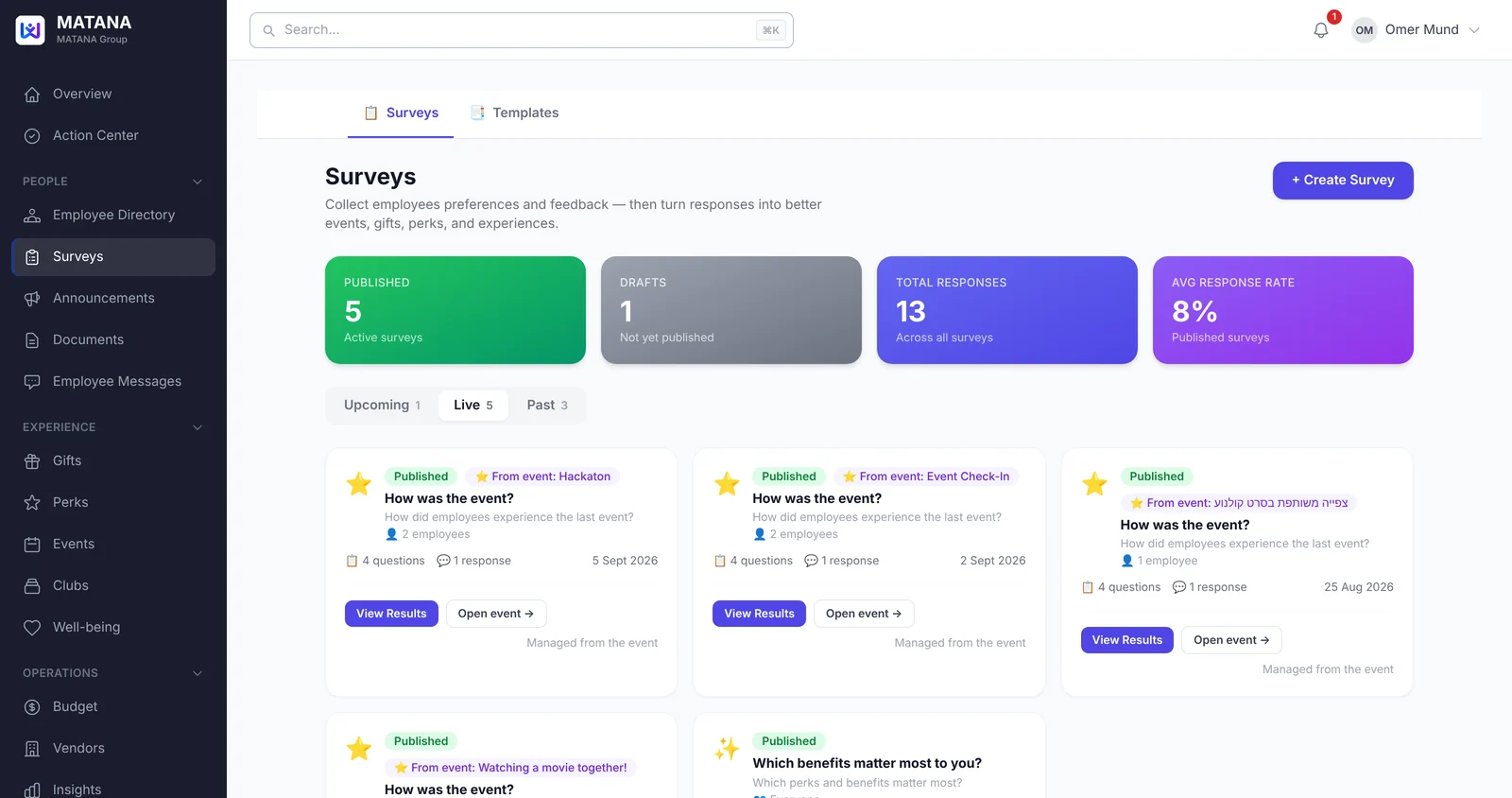
Every survey and its response rate
Published, draft and past surveys in one view, with total responses and average response rate. Surveys created from events are managed right from the event.
- Upcoming, live and past surveys
- Responses and response rate for each survey
- An automatic “How was the event?” survey after events
- Save any survey as a template
Start from a template
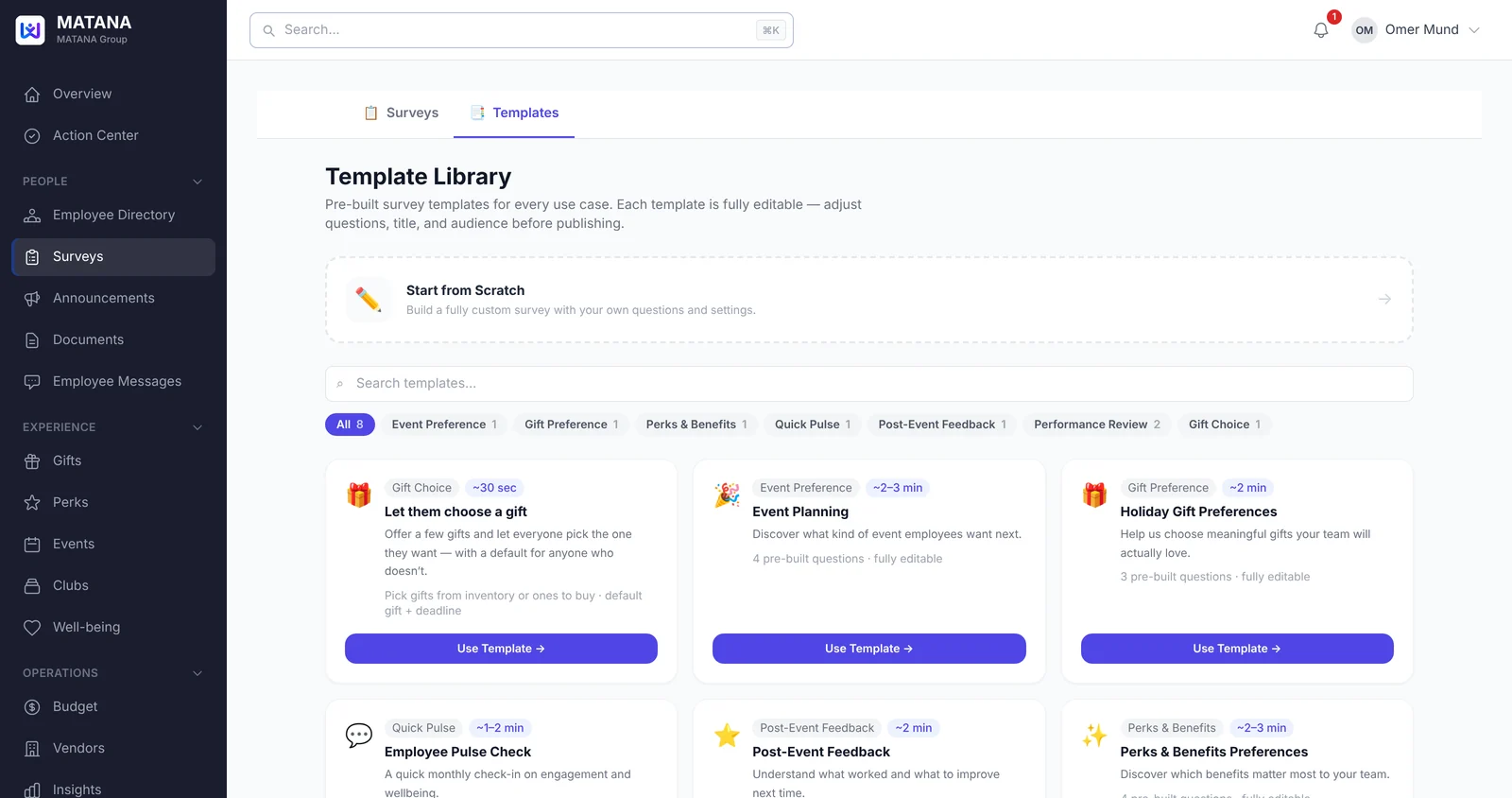
A library of ready-made, fully editable templates — or start from scratch.
- Gift Choice: let everyone pick their gift, with a default and a deadline
- Event and gift preferences
- Quick pulse, post-event feedback and performance reviews
FAQ
Common questions
What is a Gift Choice survey?
Offer a few gifts and let everyone pick the one they want, with a default gift for anyone who doesn't answer by the deadline.
Can we use templates?
Yes. Start from a template or build your own survey from scratch.
Can a survey be linked to an event?
Yes. Attach a survey to any event to collect feedback once it's over.
Can we see response rates?
Yes. Live, draft and past surveys show response counts and rates at a glance.
See MATANA with your own team
Start with a short pilot — no long-term commitment, up and running in days.