
Company events, without the chaos
Plan the whole year on one calendar, publish each event in minutes, and let MATANA handle the rest — one-tap RSVPs, QR check-in at the door, and the cost of every event in view.
Before MATANA
 With MATANA: one place to publish, RSVP and check in.
How it works
From announcement to check-in
- 1
Publish the event
Add the date, place, capacity and details. It shows up in the app for everyone you invite.
- 2
They RSVP in one tap
Employees confirm from their phone and add the event to their calendar.
- 3
Check in at the door
Turn on check-in and print the event's QR poster for the door, then see real attendance next to the RSVPs.
Inside the dashboard
What your team works with
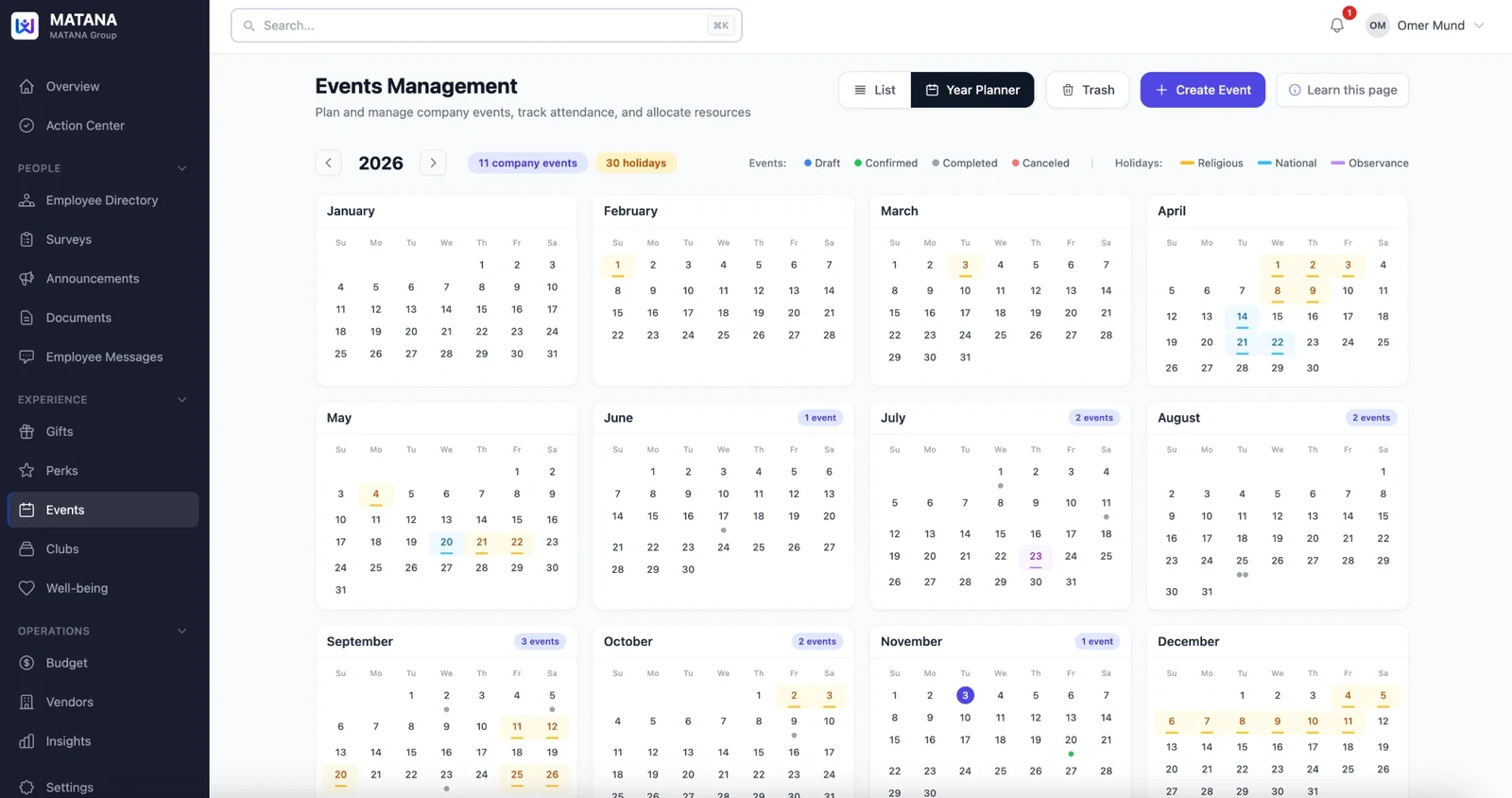
Plan the whole year at a glance
The Year Planner puts all twelve months on one screen, with your company events and the year's holidays side by side, so you can plan around the dates that matter.
- Every company event on one yearly calendar
- Holidays marked as religious, national or observance
- Events colored by status: draft, confirmed, completed or canceled
- A count of events for each month
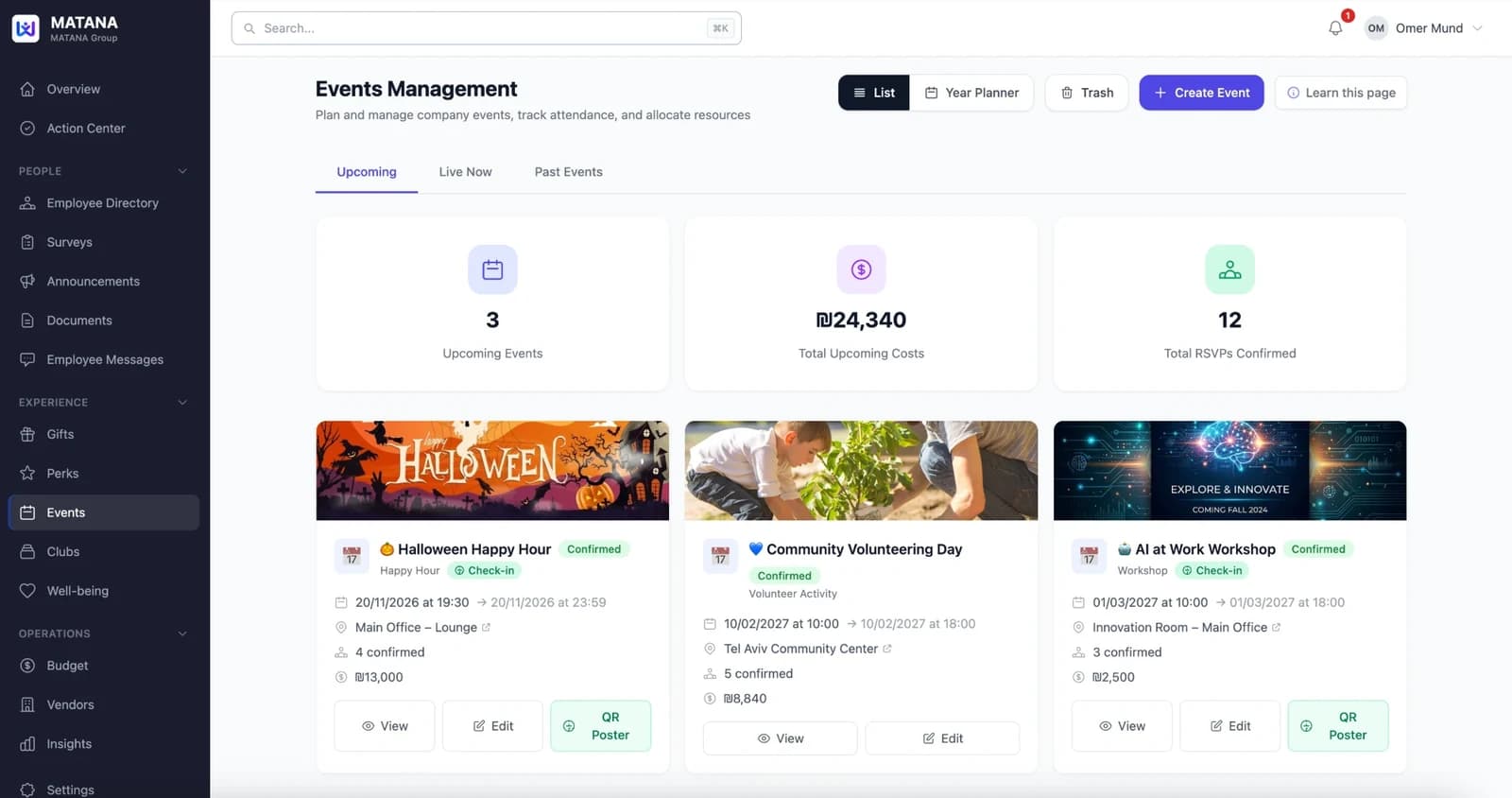
Every event, its headcount and its cost
Upcoming, live and past events in one list, with the totals that matter at the top: how many events are coming, what they'll cost, and how many people confirmed.
- Upcoming, Live now and Past events in separate tabs
- Total upcoming costs and confirmed RSVPs at a glance
- Each event shows its date, location, confirmed count and cost
- A QR poster for check-in, ready to print
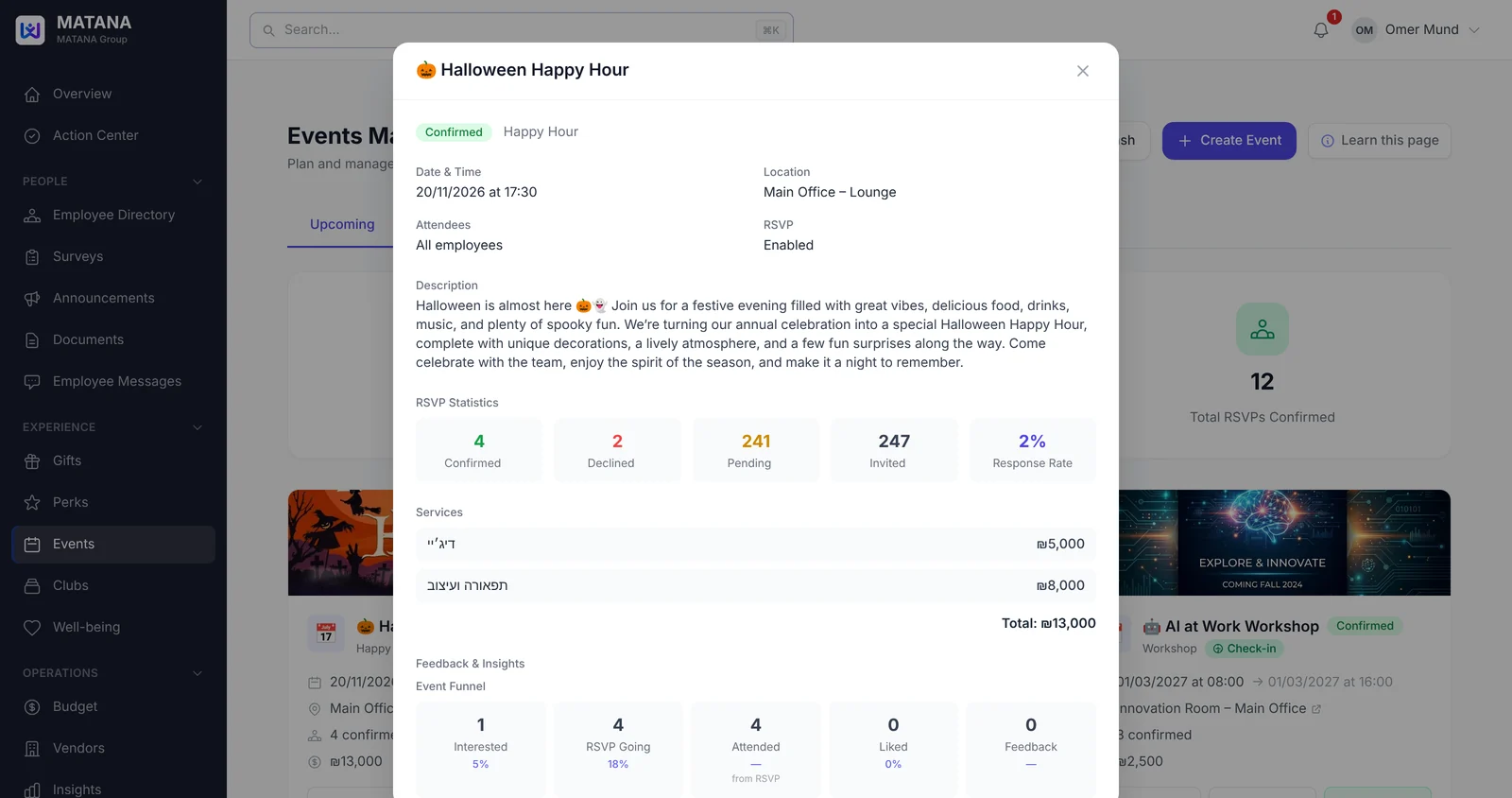
Know how every event really went
Open any event for the full picture: who's coming, what each service costs, and a funnel from first interest to RSVP, attendance and feedback.
- RSVP stats: confirmed, declined, pending and response rate
- Every service and vendor cost, with the event total
- Event funnel: interested, going, attended, liked, feedback
- Automatic post-event survey: “How was the event?”
FAQ
Common questions
Can we limit how many people come?
Yes. Set a capacity for each event and track confirmations as they come in.
Can employees add the event to their calendar?
Yes. Connect Google Calendar and MATANA places published events on attendees' calendars. RSVP stays in the MATANA app.
How does check-in work?
Turn on check-in for the event and print its QR poster for the entrance. Attendance is recorded as people check in.
Can we see what each event costs?
Yes. Every event shows its cost, and the events page totals the cost of everything coming up.
Does the planner show holidays?
Yes. The Year Planner marks religious, national and observance holidays next to your company events, so you can plan around them.
Can we ask for feedback after the event?
Yes. Attach a survey to the event to hear how it went and plan the next one.
See MATANA with your own team
Start with a short pilot — no long-term commitment, up and running in days.